Basic Computer Course
- Posted by JBCI
- Categories Courses with Certificate
About Basic Computer Course:
Our Basic Computer Course is designed for individuals with little to no prior experience in using computers. This course aims to provide a solid foundation in computer literacy and equip participants with essential skills to confidently navigate and utilize computer systems.
Module 1: Computer Fundamentals
The goal of this module is to familiarize students with what a computer is and how the physical parts work together.
What is a Computer? Understanding hardware vs. software.
The Desktop & Laptop: Identifying parts (Monitor, CPU, Keyboard, Mouse, Ports).
Turning it On/Off: The proper boot-up and shut-down sequence.
The Operating System (OS): An introduction to Windows, macOS, and Linux.
Module 2: Mastering the Interface
Teaching students how to navigate the “virtual” space of their computer.
The Desktop Environment: Understanding icons, taskbars, and menus.
Using a Mouse/Trackpad: Left-click, right-click, double-click, and scrolling.
Keyboard Basics: Important keys (Shift, Ctrl, Alt, Enter, Backspace) and home row positioning.
Managing Windows: How to minimize, maximize, and resize application windows.
Module 3: Files, Folders, and Storage
One of the biggest hurdles for beginners is organization. This module simplifies data management.
Files vs. Folders: How to think of digital storage like a filing cabinet.
Creating and Renaming: Organising your own workspace.
Copy, Cut, and Paste: Moving information from one place to another.
Storage Devices: Understanding Hard Drives, USB sticks, and “The Cloud.”
Module 4: Essential Productivity Tools
A brief overview of the software used in most office environments.
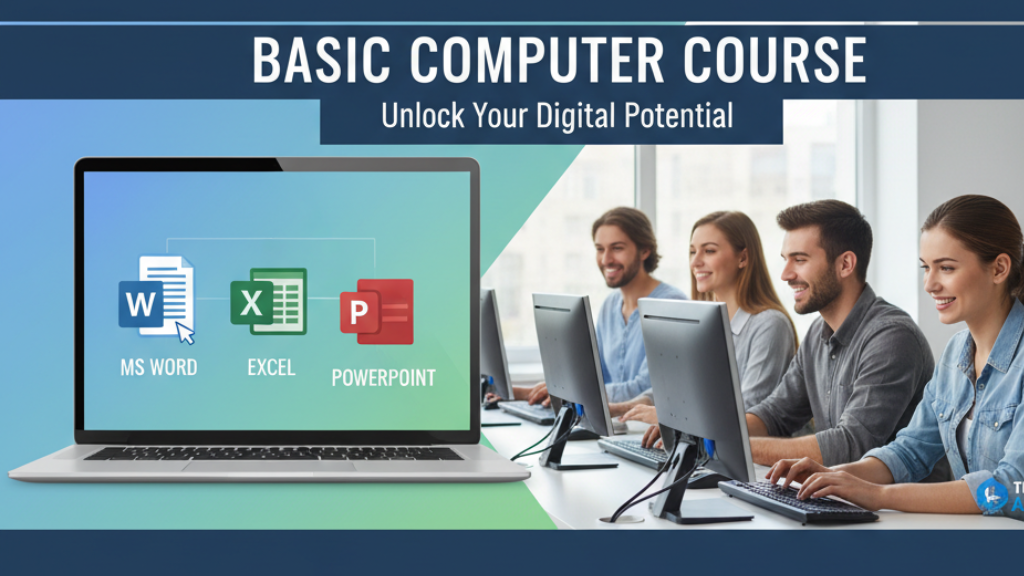
Word Processing: Introduction of MS -Word (Home, Insert, Design, Layout, References etc.) Resume, Table & Index, Uses of Shapes and smart art, Charts. Formatting of documents, table of content, mail merge, Comments, macros etc.
Spreadsheets: Introduction Of Excel Entering Data, Managing and Navigating Workbooks, Creating and Editing Formulas, Formatting and Proofing, Manage Data Cells and Range, Create Advance Formulas, Create Charts and Objects, Security and Protection of Workbook, Create Advance Filter, Data Validation, Goal Seek, Scenario & Data Table, Paste Special Technique, Macros.
Sheets (Bill Receipt, Marksheet, Balance Sheet Budget Sheet, Salary Sheet, Attendance Sheet & Expense Sheet, Invoice Bill Formats.
Presentations: Introduction of PowerPoint making of Presentation, uses of slides, designing, Animation, transitions, slide show, master slide, recording etc.
Microsoft-Access
Introduction Of Access (Table Designing, Query Design, Making A Form Etc.)
Module 5: Introduction to the Internet
Connecting to the world safely and efficiently.
Web Browsers: Using Chrome, Firefox, or Edge.
Search Engines: How to use Google to find exactly what you need.
Safety & Security: Identifying “HTTPS,” creating strong passwords, and avoiding suspicious links.
Introduction to Email: Setting up an account, sending attachments, and managing spam.
Who Should Attend
Basic computer courses are suitable for those who want to learn computer basics, for various purposes; jobs, personal, and business purposes.

At JBCI, we are passionate about empowering individuals with the knowledge and skills needed to thrive in today’s digital world. Established in 2021, we have been at the forefront of providing high-quality computer education and training to students of all ages and backgrounds.
You may also like